Your coach writes the programme. Vorynx Lab is where you read it, check in
after a session, and watch your own body change — one app, on your
phone, that works even when the gym has no signal.
Plans from $25 a month, billed to you. Train on your own with a ready-made programme, or with a coach who invites you.
Four tabs. Nothing you don't need.
Today — how you're doing, and the one thing to do next. Checking in takes two taps.
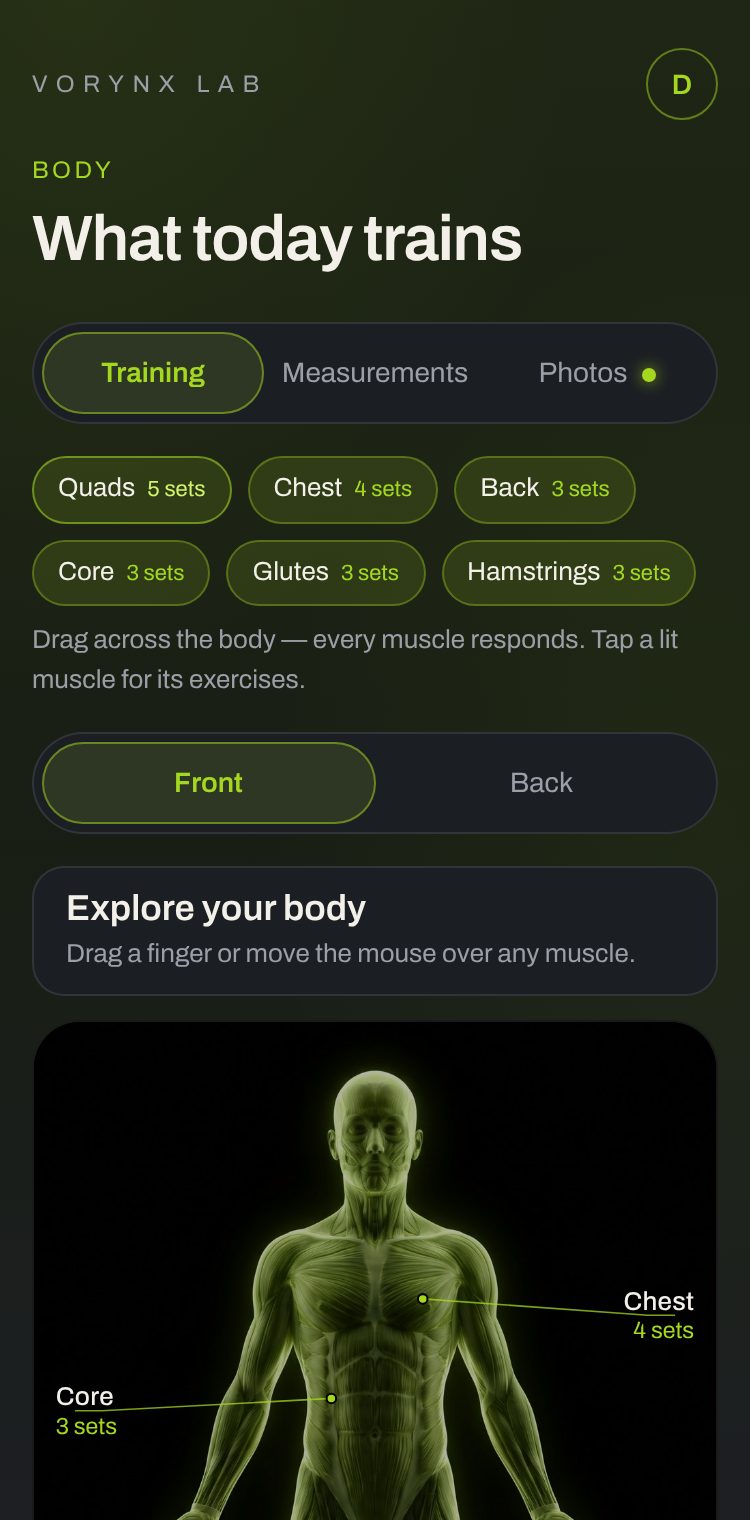
Body — drag a finger across the figure and any muscle lights up with what it did this week. Your measurements pin to it, and your before/after photos live here.
Train — today's session, with your coach's demo clips.
Fuel — the meal plan your coach wrote for you.
Check in on a basement wifi and nothing is lost — it's held on your
phone and sent the moment you're back on signal.
What it costs
You subscribe to the app, with or without a coach. Monthly, renews automatically, cancel in one click. Pro needs a coach, since it is a monthly call with them.
Basic
$25 a month
Your training plan and meal plan
Daily check-ins and progress tracking
Your coach sees how you're doing between sessions
Pro
$50 a month
Everything in Basic
A video call with your coach once a month
The call is with your own coach.
Put it on your phone
Vorynx Lab installs straight from your browser — there's no app store, no
download and no update to wait for. It takes about ten seconds, and
afterwards it opens full screen from your home screen like any other
app.
On iPhone or iPad
Open Vorynx Lab in Safari and sign in.
Tap the Share button — the square with an arrow coming out of it.
Scroll down and tap Add to Home Screen.
Tap Add. The icon appears on your home screen.
It has to be Safari — Chrome on iPhone can't install apps.
On Android
Open Vorynx Lab in Chrome and sign in.
Vorynx Lab asks if you want it on your home screen — tap Add.
If you missed it, open Chrome's ⋮ menu and tap
Install app or Add to Home screen.
Works in Edge, Samsung Internet and Brave too.
On a computer
Open Vorynx Lab in Chrome or Edge and sign in.
Click the install icon at the right-hand end of the address bar.
Everything works in a normal browser tab as well — installing just makes it quicker to reach.
Two ways in
On your own:create an account, pick a ready-made programme and start training today. With a coach: they add you, and the steps below get you in.
01
Your coach adds you
If you train with a coach on Vorynx Lab, you don't sign up here. They add you, so your account is linked to them from the start.
02
They send you a link
One link, by email or message. It's good for two weeks and works once.
03
You pick your own password
Your coach never sees it, and never sets it for you.
No link yet? Ask your coach to send one — they can do it from their
roster in a couple of seconds. If your link has expired, ask for a
fresh one; it's the same two seconds for them.